 how-to
Circuit Breaker Won't Reset? Diagnose It Fast
Table of Contents
- Why Your Circuit Breaker Won't Reset
- How to Reset a Tripped Breaker Properly
- Signs of a Bad Circuit Breaker
- How to Test a Circuit Breaker with a Multimeter
- Common Causes: Overloaded Circuits and Faulty Wiring
- When to Call a Professional Electrician
- Preventing Future Breaker Issues
- Frequently Asked Questions
Last Updated: September 17, 2026
Why Your Circuit Breaker Won't Reset
A breaker that won't reset is telling you something important: the fault is still there. The breaker trips to cut power before a wire overheats, and it stays off when the problem hasn't cleared. This guide from BEARS Electric walks through how to diagnose a circuit breaker that won't reset, step by step, so you can tell a tripped breaker apart from a dead one and know when to stop and call a pro.
Tripped vs. Dead Breaker
A tripped breaker has moved to the middle position and will reset once the fault clears. A dead breaker won't hold the ON position at all, or it trips the instant you reset it with no load running.
Here's the quick test:
- Tripped: handle sits between ON and OFF, feels loose, resets fine once you remove the load
- Dead: handle won't stay ON, trips instantly, or feels stiff and won't move at all
How to Reset a Tripped Breaker Properly
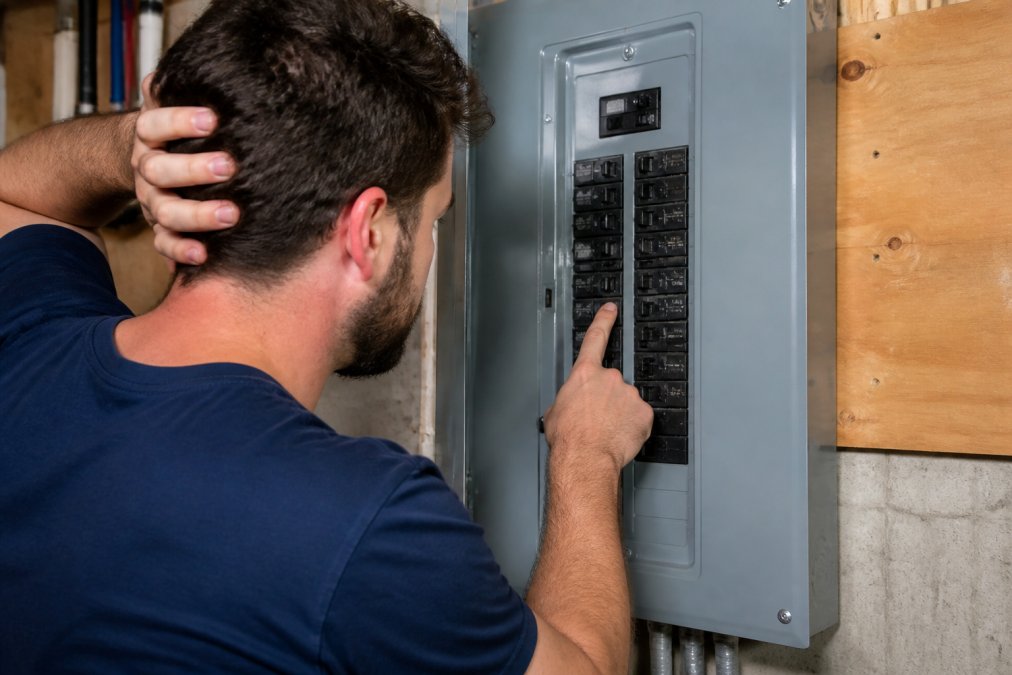
Resetting a tripped breaker properly means pushing the handle fully to OFF first, then firmly to ON. Skipping the OFF step is the most common mistake, and it's why so many people think their breaker is broken.
Follow this order:
- Unplug everything on that circuit, or switch off the lights
- Open the panel cover and find the tripped breaker
- Push the handle all the way to OFF
- Push it firmly to ON
- Watch it for 30 seconds
Signs of a Bad Circuit Breaker
A bad breaker usually shows itself before it fails completely. The trick is knowing which signs point to the breaker, which point to the wiring behind it, and which are just normal heat from a device doing its job.
- Discoloration on the breaker body, bus bar, or wire insulation, a tan or brown tint means sustained heat
- Melting or charring at the terminal screws or where the wire enters the breaker
- Scorched panel cover or dark soot streaks around a breaker slot
- Brittle or cracked insulation on the branch wire, which crumbles when flexed
- Corrosion or green residue on aluminum wiring terminations
- A breaker that feels loose in its slot or rocks when you press the handle
Warm vs. Hot: What's Normal
A warm switch plate is normal for some dimmer switches, which dissipate heat through their face by design. A warm breaker is not. The distinction matters because homeowners often replace a perfectly good dimmer, or ignore a failing breaker, based on the same symptom.
Here's how to read the difference:
- Warm dimmer face: expected on older dimmers running a heavy load; the heat is the dimmer shedding waste, not a fault
- Hot dimmer face: a dimmer rated for less wattage than the bulbs on it, or a non-dimmable LED on a dimmer, will run hotter than it should
- Warm breaker body: never normal. A breaker carrying its rated load should stay close to ambient temperature
- Hot breaker or hot panel cover: the connection is resisting current, and the heat is building where you can't see it
Smart Switches and LED Bulbs Change the Heat Picture
Modern smart switches and dimmers contain their own power supply, and that electronics package generates heat even when the load is small. A smart switch feeding a single LED fixture can feel warmer than an old toggle switch feeding the same fixture, and that's expected. The heat is coming from the switch's radio and power conversion, not from a wiring fault.
Signs That Point to the Breaker Itself
- Burning smell near the panel, which points to overheating
- Discolored or scorched breaker body or panel cover
- Flickering lights on the same circuit, especially when an appliance kicks on
- Buzzing or crackling sounds from the panel
- Breaker that trips with nothing plugged in
- Handle that won't stay ON or feels stiff and won't move
If you're in Bristol, Terryville, Plainville, Southington, New Britain, or anywhere nearby and you've found any of these signs, that's a call for professional help, not a weekend project.
How to Test a Circuit Breaker with a Multimeter
Testing a circuit breaker with a multimeter tells you three things: whether power is reaching the breaker, whether it's passing through to the circuit, and whether the breaker is passing voltage it shouldn't. This is a job for someone comfortable working around live panels, and it requires the right safety gear.
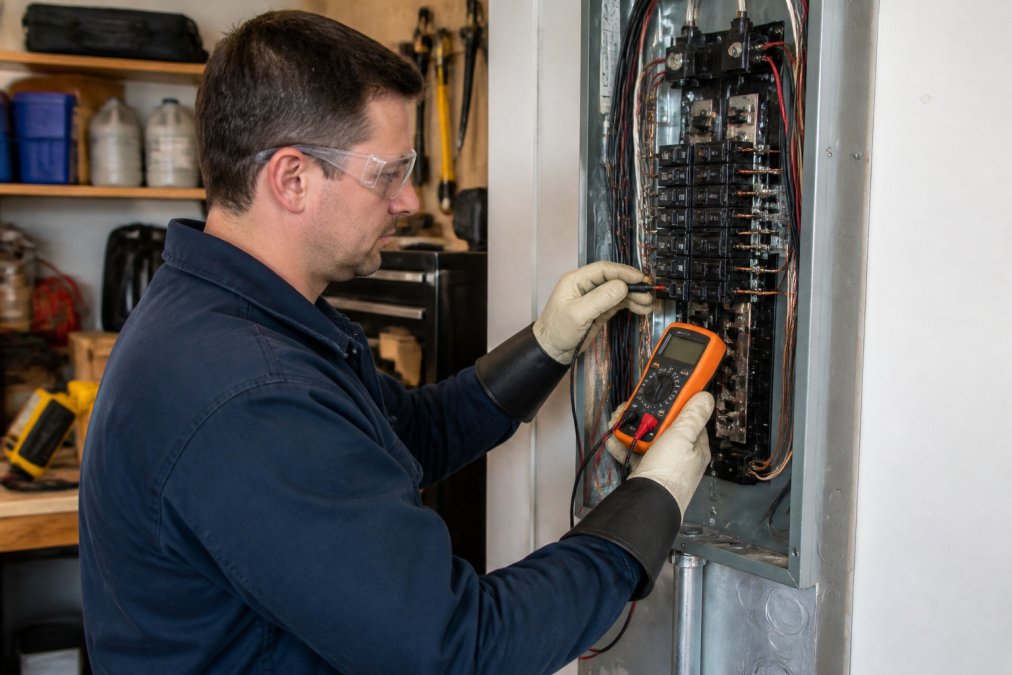
You'll need:
- A digital multimeter rated for at least 600 volts AC, with a CAT III safety rating
- Safety glasses
- Insulated gloves rated for the voltage you're testing
- A non-contact voltage tester
Safety First: Turning Off Power
Turn off the main breaker before opening the panel cover, then confirm power is off with a non-contact voltage tester at the main lugs and at the breaker you're testing. Never assume a breaker is dead just because the handle is down, a breaker can fail internally and still pass voltage with the handle in the OFF position.
The Test Sequence
Set the multimeter to AC voltage, and work through these steps in order:
- Line side to neutral. Touch one probe to the breaker's terminal screw where the wire lands, and the other to the neutral bar. A reading near 120 volts means power is reaching the breaker from the bus.
- Load side to neutral. With the breaker ON, touch one probe to the wire leaving the breaker and the other to the neutral bar. A reading near 120 volts means the breaker is passing power to the circuit.
- Line side to load side. Touch one probe to each terminal. With the breaker ON, a reading near zero means the breaker is closed and passing voltage. A reading near 120 volts means the breaker is open internally even though the handle says ON.
- Breaker OFF check. Turn the breaker OFF and repeat step 2. A reading near zero is correct. Any voltage present means the breaker isn't fully opening, which is a failure.
Reading the Results
- 120 volts line-to-neutral, 0 volts line-to-load: the breaker isn't passing power. Replace it.
- 0 volts line-to-neutral: the problem is upstream, the bus connection, the main breaker, or the utility feed. Stop and call a pro.
- Voltage present with the breaker OFF: the breaker is stuck closed. That's a fire risk, and the panel needs service before anything else runs on that circuit.
- Voltage that fluctuates or drops under load: a loose connection or a failing breaker. Either way, it needs a hands-on look.
If you're not comfortable working inside a live panel, don't. That's a job for a licensed electrician, and it's the right call every time.
Common Causes: Overloaded Circuits and Faulty Wiring
An overloaded circuit is the most common reason a breaker won't reset, followed closely by a loose wire connection. Both create heat, and heat is what trips the breaker in the first place.
Here's how to tell them apart:
| Cause | What You'll Notice | What to Do |
|---|---|---|
| Overloaded circuit | Trips when several appliances run at once | Spread devices across circuits |
| Loose wire connection | Trips randomly, warm switch plate | Tighten or replace the connection |
| Short circuit | Trips instantly, burning smell | Call an electrician |
| Ground fault | Trips in damp areas | Check outlets and wiring |
| Bad breaker | Won't hold ON, no load | Replace the breaker |
When to Call a Professional Electrician
Call a professional electrician when a breaker trips repeatedly, when you smell burning, or when you see scorch marks. Those are signs of a fire hazard, and they need a licensed pro, not a DIY fix.
Here's when to stop and pick up the phone:
- The breaker trips again immediately after reset
- You smell burning near the panel
- The breaker or switch plate is hot to the touch
- You see scorch marks or melted plastic
- The panel is old or you're not sure of its history
Preventing Future Breaker Issues
Preventing breaker problems comes down to three habits: know your circuit loads, watch for warning signs, and schedule periodic inspections.
Start with these steps:
- Map your panel so you know which breaker controls which room
- Keep high-draw appliances on separate circuits
- Replace worn outlets and switches before they fail
- Check for warm switch plates once a month
- Book a panel inspection every few years
Frequently Asked Questions
Why does my circuit breaker trip immediately after resetting?
If your breaker won't reset and trips instantly, it usually means a short circuit, ground fault, or an overloaded circuit still exists. The breaker is doing its job by cutting power to prevent overheating or fire. Unplug all devices on that circuit and try again. If it still trips, there's a wiring fault or a bad breaker that needs professional diagnosis.
Is it dangerous if my circuit breaker won't stay in the ON position?
Yes. A breaker that won't stay ON is a warning sign of a serious fault, such as a short circuit or faulty wiring. Forcing it to stay ON can cause overheating, arc faults, or an electrical fire. Turn off the breaker and call a licensed electrician to inspect the circuit and panel before using it again.
How can I tell if my circuit breaker is bad or if there's a short circuit?
A bad breaker often feels loose, won't click firmly, or shows scorch marks. A short circuit usually trips the breaker instantly when you reset it, even with no devices plugged in. Use a multimeter to check for continuity and voltage. If you're unsure, a professional can test the breaker and wiring safely.
Can a faulty appliance cause a breaker to stop resetting?
Yes. A malfunctioning appliance can draw too much current or have an internal short, causing the breaker to trip every time you reset it. Unplug everything on that circuit and try resetting. If the breaker holds, plug in devices one at a time to find the culprit. If it still trips, the issue is in the wiring or breaker itself.